![G&D - w - h-3.png]](https://epsupport.cesa6.org/hs-fs/hubfs/G%26D%20-%20w%20-%20h-3.png?height=40&name=G%26D%20-%20w%20-%20h-3.png)
Cycle dates can be changed on an individual basis or in bulk. Evaluation Assignments displays a list of every “active” user in your district.
- Follow the path: Evaluations > CONFIG > Evaluation Assignments.
- Check the page amount… more than one page, change per page at bottom.
- Select the Users you wish to change. (Select all by selecting the box to the left of "User".)
- Enter the desired start date. Then, enter the recommended end date 6/30 of the desired year for the end date.
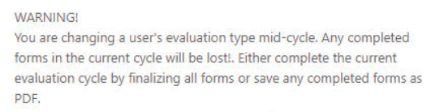
- Select "Set Cycle Dates" and select Submit. The below warning may appear.
WARNING: Data on a form may be lost if the cycle start date is updated to a date after the data was originally entered (e.g., entering data on August 15, then shifting the cycle start date to August 30). - To quickly find a specific user, select the caret icon in the User column and open the filter tool. Type the user's last name to narrow down the list in real time.